Experience HomeLab Manager
Click through the tabs below to explore real screenshots and interface modules of the HomeLab Manager platform.
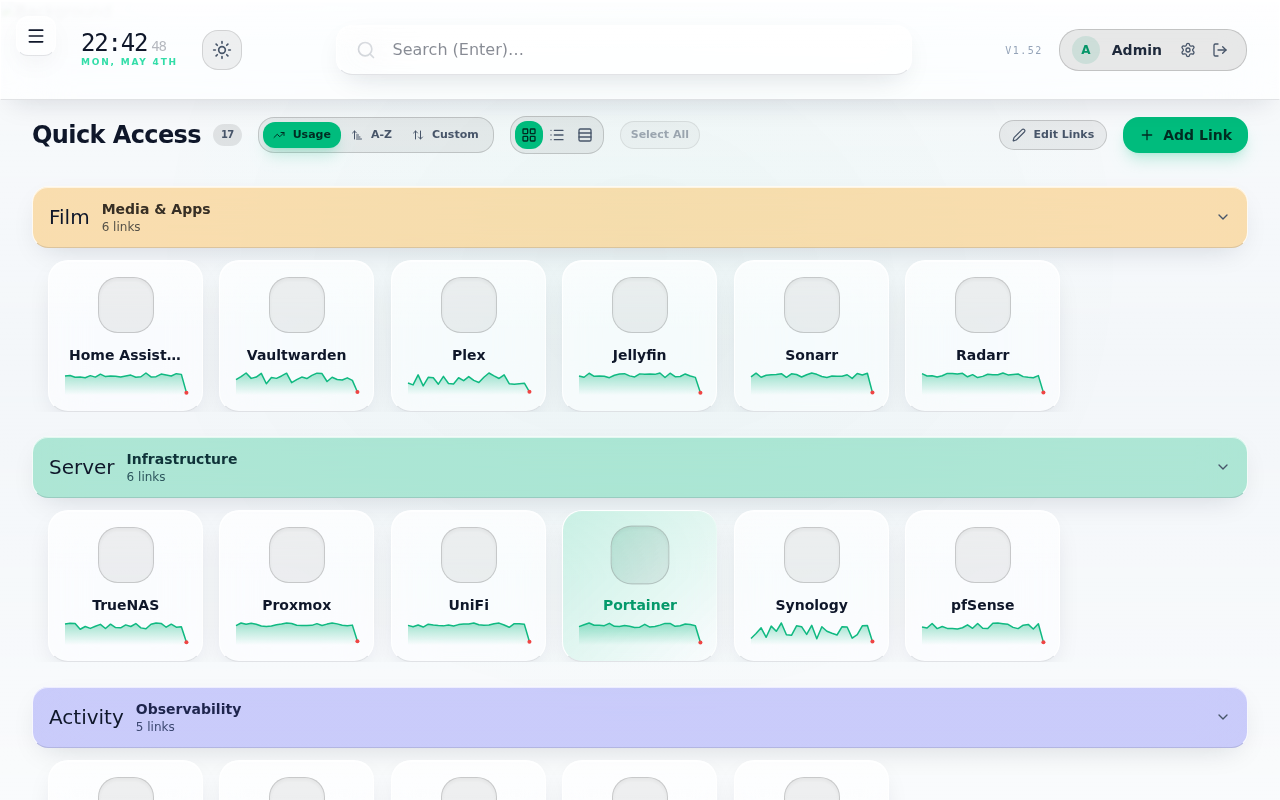
Link Management & Smart Grouping
Organize all homelab services, web interfaces, and dashboards with drag-and-drop reordering, custom color-coded groups, live sparkline response times, and AI-powered link organization.
- Drag-and-drop link reordering via
dnd-kit - Per-link health check toggle & custom health URLs
- Customizable background themes, light/dark modes
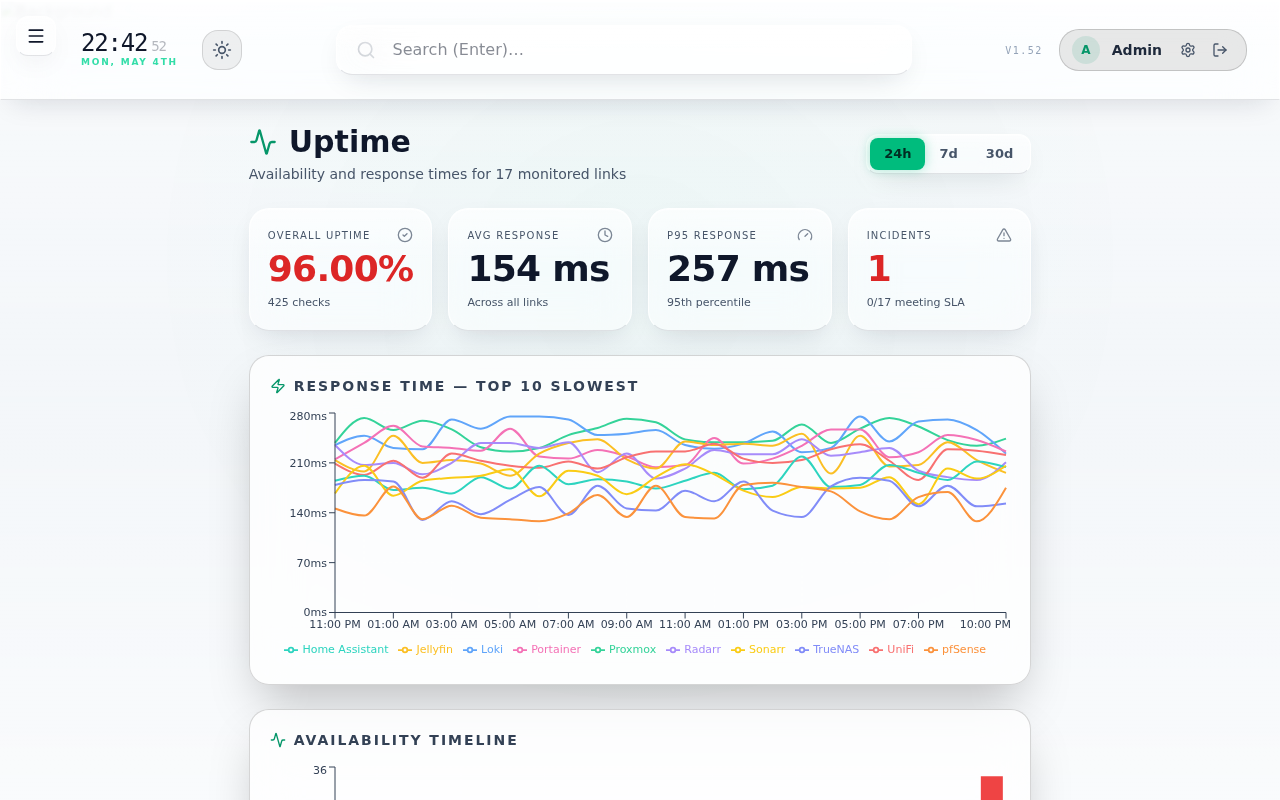
Dedicated Uptime & SLA Analytics
Monitor your entire stack's SLA stats across 24h, 7-day, and 30-day windows. Displays average vs p95 latency, availability timeline heatmaps, top-10 slowest services, and sortable SLA tables.
- Background HTTP ping loop with configurable SLA targets
- Hourly availability timeline & p95 latency distribution
- Instant offline alerts & push notifications
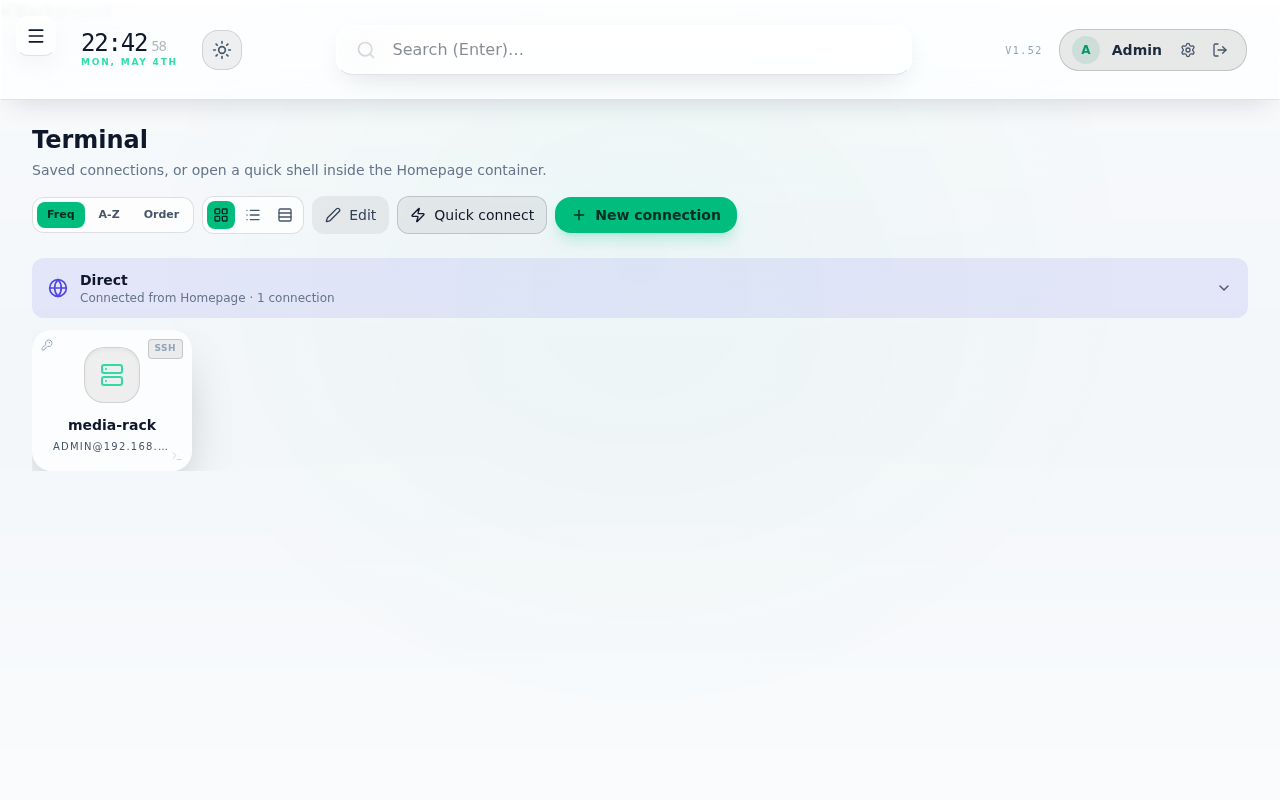
In-Browser Web Terminal & SSH / VNC
Direct terminal access inside the browser. Manage local Docker container shells, connect to remote servers over SSH with agent forwarding/private keys, or launch graphical noVNC desktops.
- Xterm.js terminal with mobile touch toolbar
- noVNC integration for Proxmox VE guest VMs
- Keyring support & secure credential storage
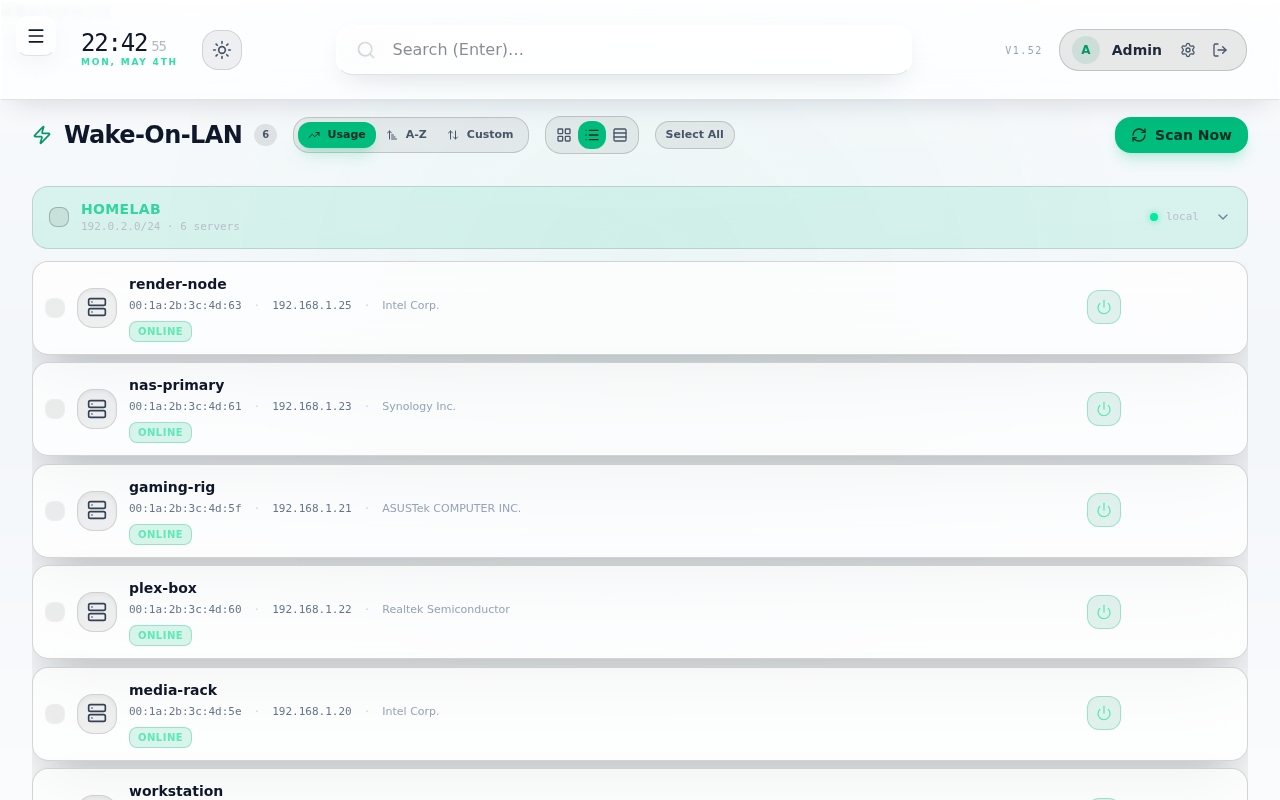
Wake-On-LAN & UniFi Network Integration
Wake physical servers with magic packets. Supports one-click import from connected UniFi controllers and remote subnet waking via stateless WOL agents.
- One-click UniFi client table import
- Cross-subnet WOL broadcasting agent mode
- Real-time host power status detection
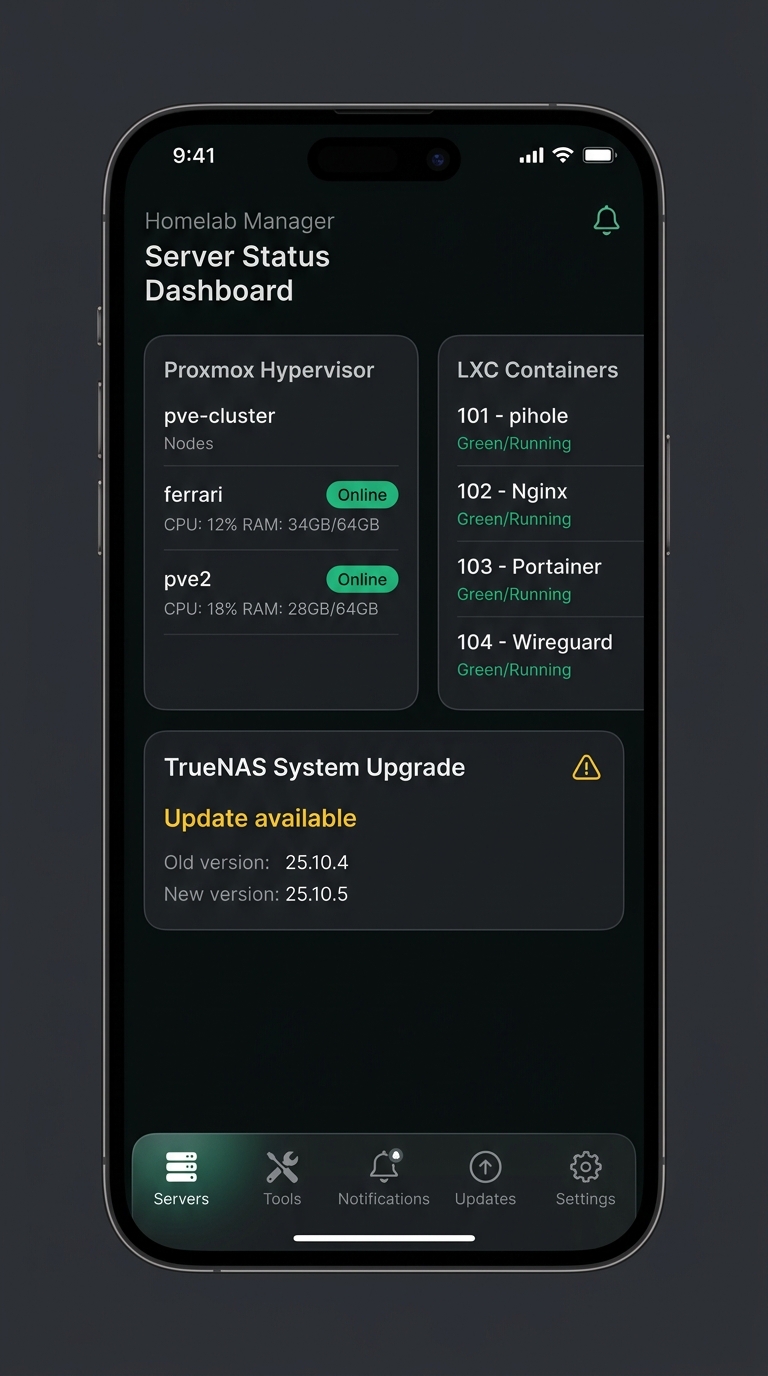
Native React Native / Expo Mobile App
Full iOS and Android mobile companion app. Provides mobile status parity, FaceID / Fingerprint biometric locking, unified update management, and push alerts.
- Biometric secure lock (FaceID / TouchID)
- Real-time server push alerts & status indicators
- EAS OTA (Over-The-Air) update support
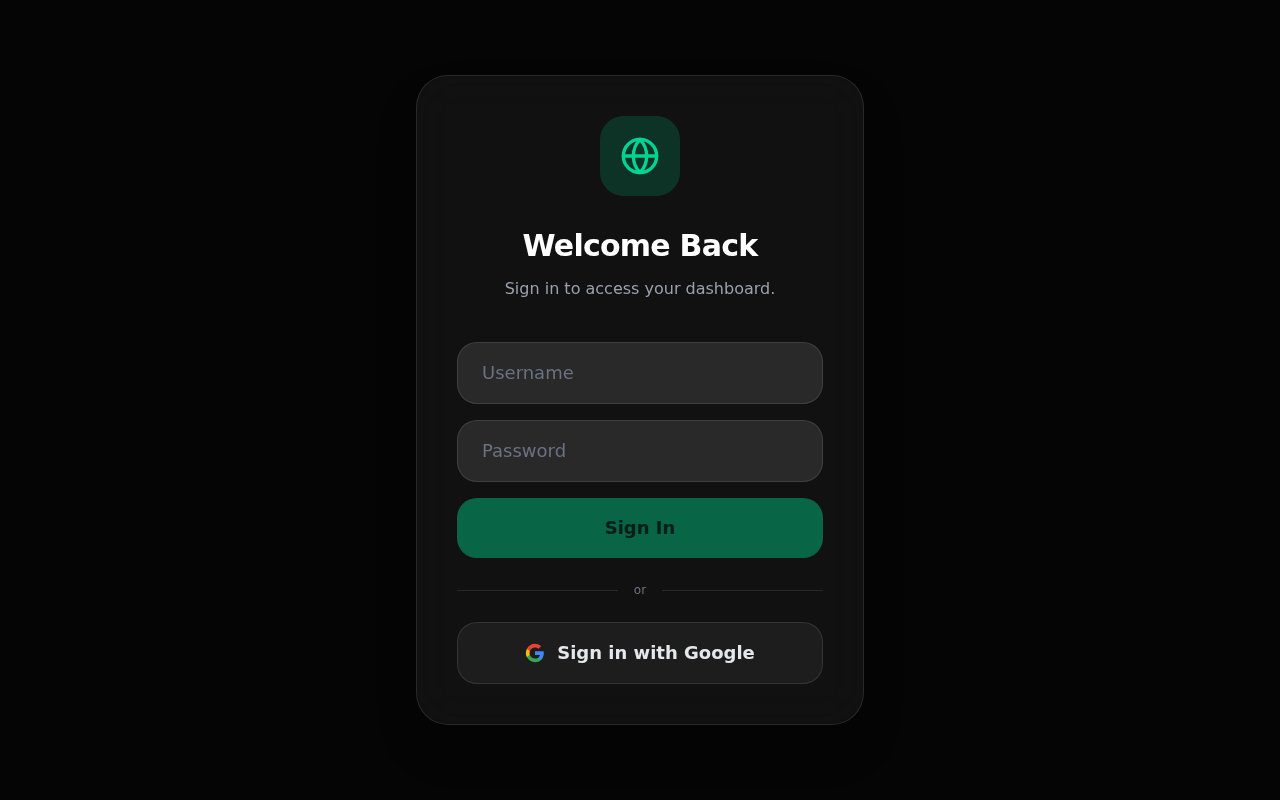
Google OAuth & Role-Based Auth
Multi-user authentication supporting both traditional username/password credentials and Google OAuth single sign-on, complete with fine-grained admin user permissions.
- Google OAuth 2.0 Integration
- Per-user custom page layout customization
- Rate limiting, session security, & Helmet HTTP headers