Experience HomeLab Manager
Click through the tabs below to explore real screenshots and interface modules of the HomeLab Manager platform.
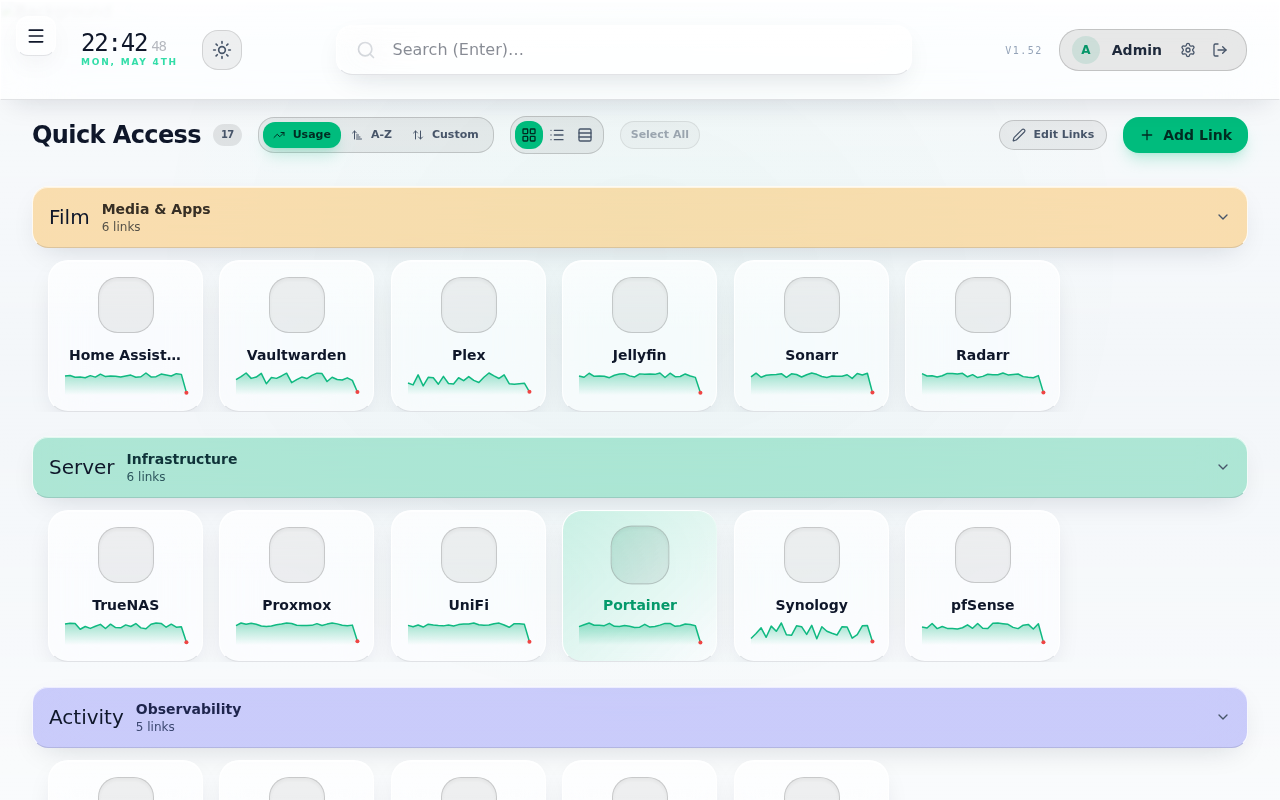
Link Management & Smart Grouping
Organize all homelab services, web interfaces, and dashboards with drag-and-drop reordering, custom color-coded groups, live sparkline response times, and AI-powered link organization.
- Drag-and-drop link reordering via
dnd-kit - Per-link health check toggle & custom health URLs
- Customizable background themes, light/dark modes
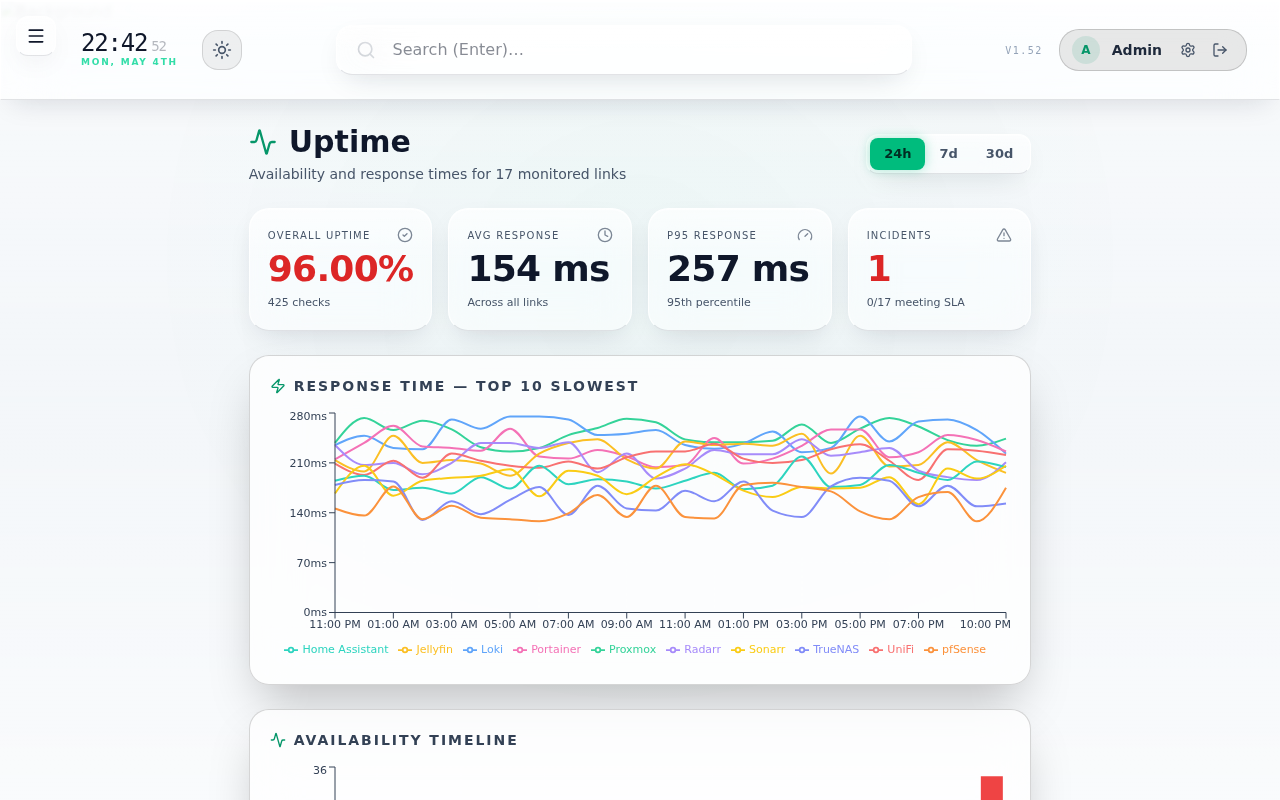
Dedicated Uptime & SLA Analytics
Monitor your entire stack's SLA stats across 24h, 7-day, and 30-day windows. Displays average vs p95 latency, availability timeline heatmaps, top-10 slowest services, and sortable SLA tables.
- Background HTTP ping loop with configurable SLA targets
- Hourly availability timeline & p95 latency distribution
- Instant offline alerts & push notifications
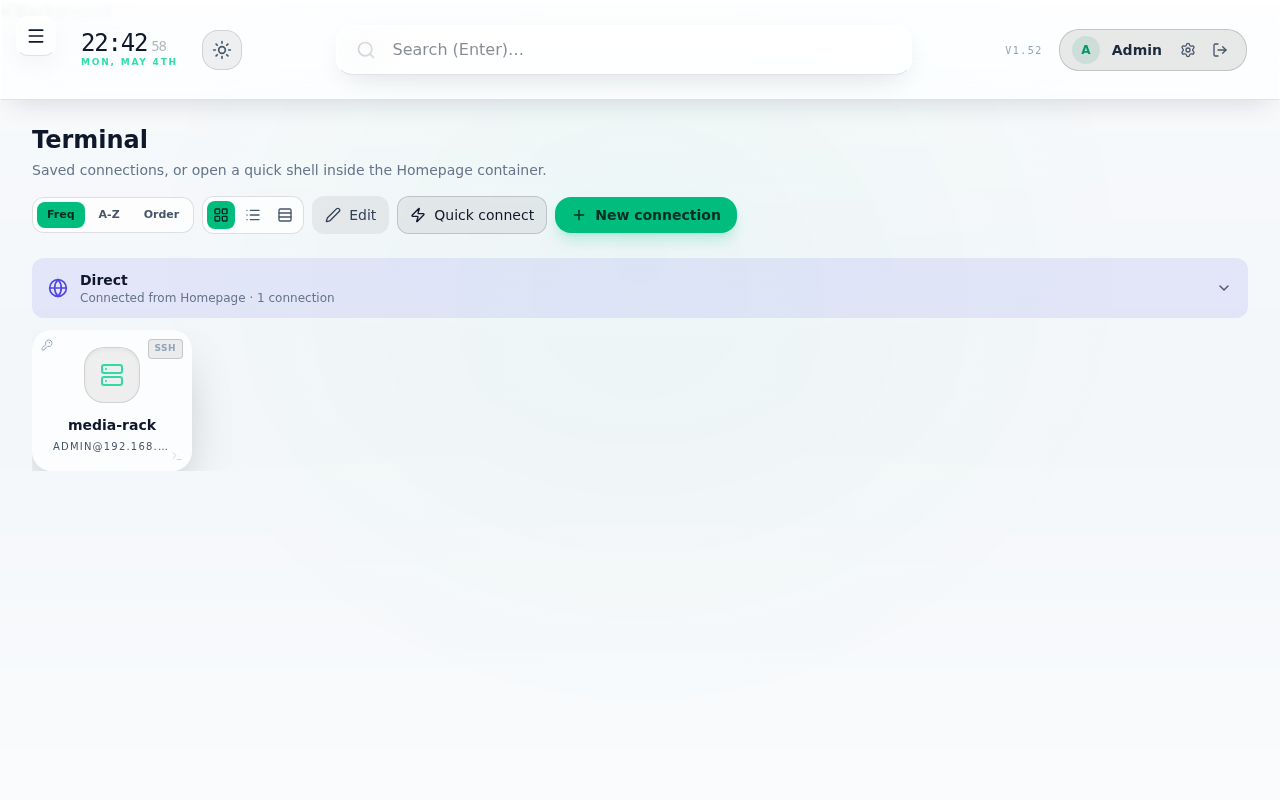
In-Browser Web Terminal & SSH / VNC
Direct terminal access inside the browser. Manage local Docker container shells, connect to remote servers over SSH with agent forwarding/private keys, or launch graphical noVNC desktops.
- Xterm.js terminal with mobile touch toolbar
- noVNC integration for Proxmox VE guest VMs
- Keyring support & secure credential storage
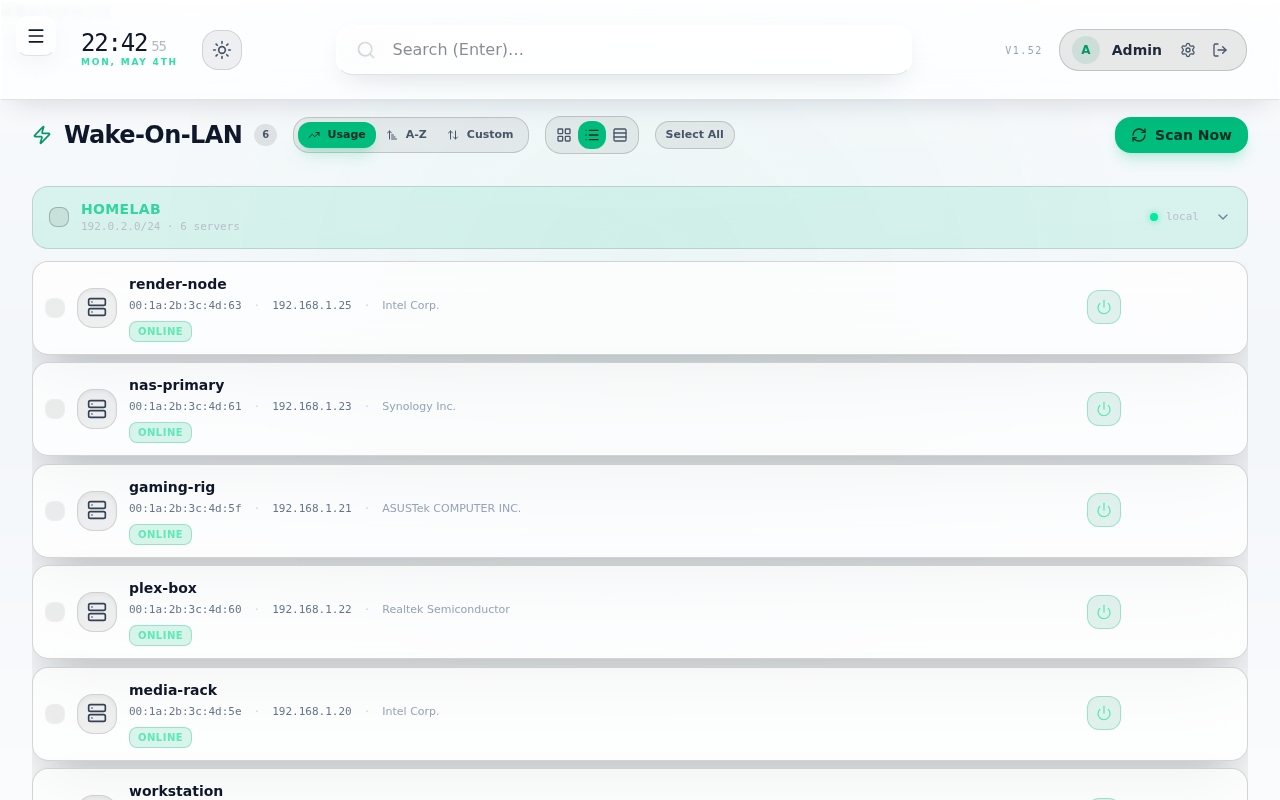
Wake-On-LAN & UniFi Network Integration
Wake physical servers with magic packets. Supports one-click import from connected UniFi controllers and remote subnet waking via stateless WOL agents.
- One-click UniFi client table import
- Cross-subnet WOL broadcasting agent mode
- Real-time host power status detection
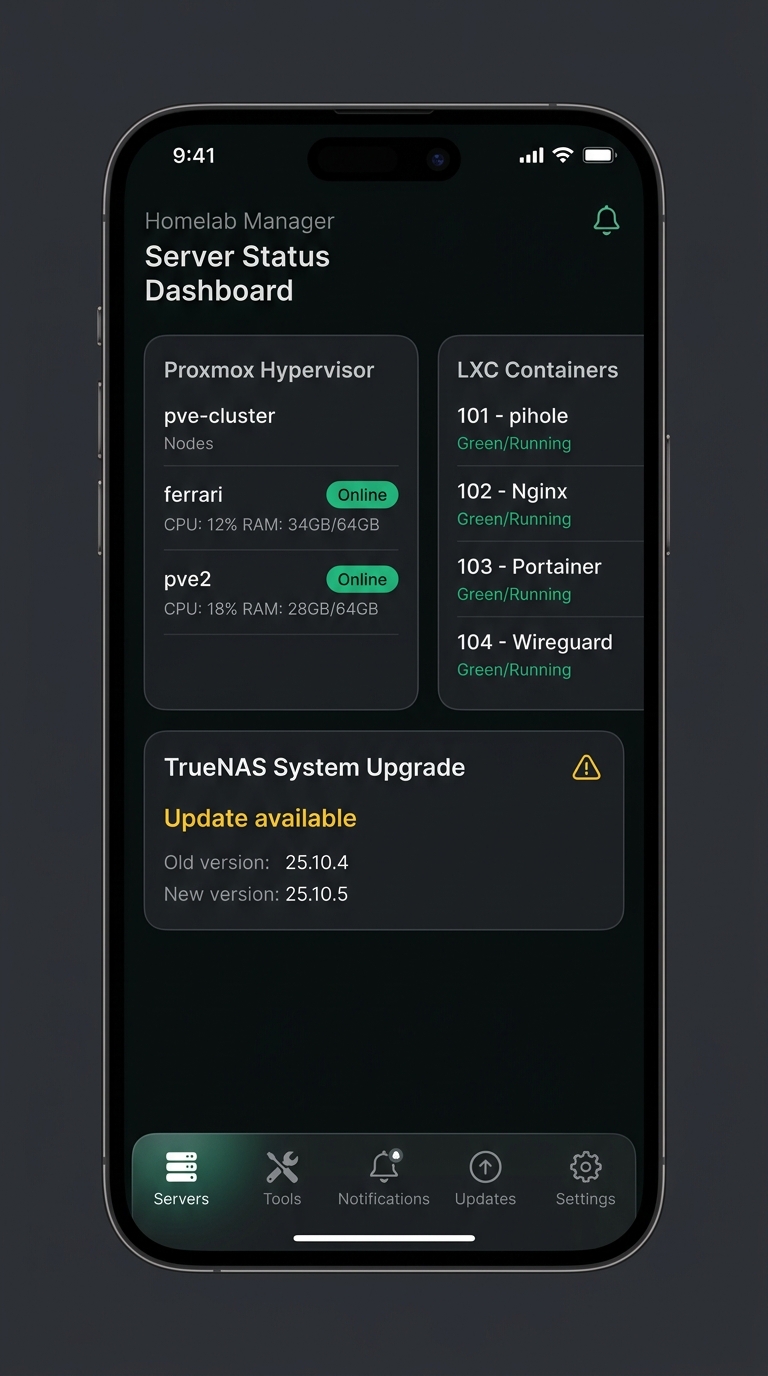
Native React Native / Expo Mobile App
Full iOS and Android mobile companion app. Provides mobile status parity, FaceID / Fingerprint biometric locking, unified update management, and push alerts.
- Biometric secure lock (FaceID / TouchID)
- Real-time server push alerts & status indicators
- EAS OTA (Over-The-Air) update support
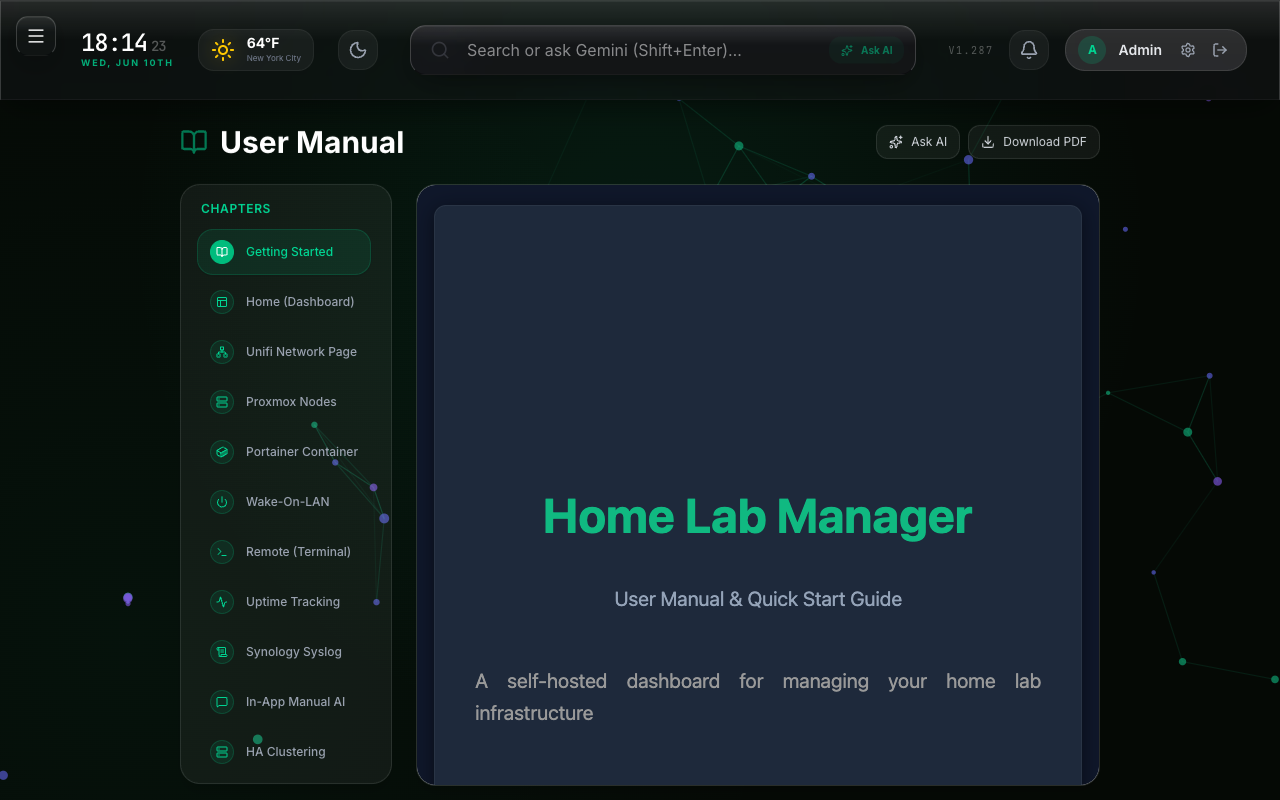
18-Chapter Manual & Grounded AI Q&A
Comprehensive user manual embedded directly in the app covering all 18 feature modules. Includes an AI Q&A assistant grounded in the manual text to answer configuration questions without hallucinations, plus an offline PDF exporter.
- Complete 18-chapter documentation with sidebar navigation
- Grounded Gemini AI assistant (Flash & Pro models)
- One-click print-formatted offline PDF download
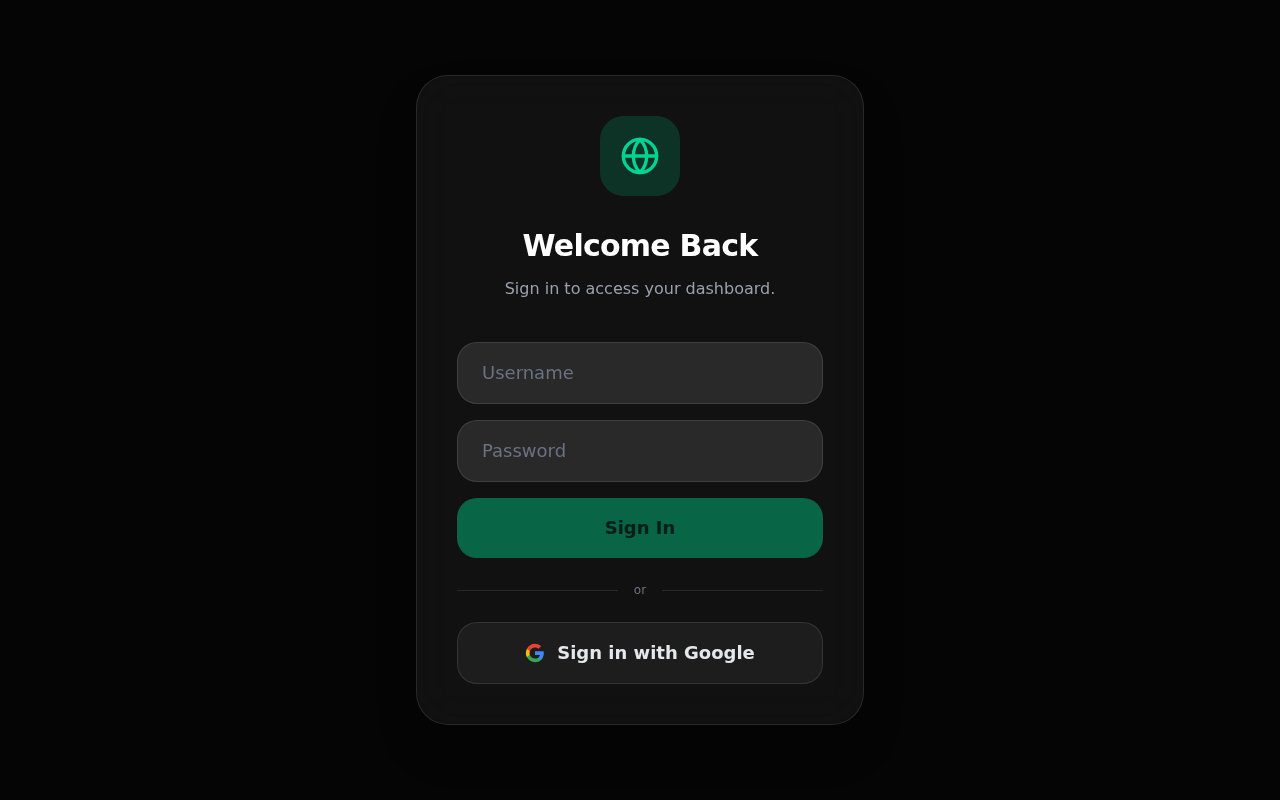
Google OAuth & Role-Based Auth
Multi-user authentication supporting both traditional username/password credentials and Google OAuth single sign-on, complete with fine-grained admin user permissions.
- Google OAuth 2.0 Integration
- Per-user custom page layout customization
- Rate limiting, session security, & Helmet HTTP headers
Built for Modern Infrastructure
HomeLab Manager bridges the gap between simple link bookmarks and enterprise-grade cluster administration.
Cloudflare Integration
Full DNS CRUD management, Zero-Trust tunnel state grids with micro-interaction restarts, and real-time GraphQL firewall threat analytics.
Gemini AI & AI Manager
Automated 7-day error/warning pattern sweeps across all Synology syslog receivers with Gemini root-cause diagnostic reports, smart link generation, and grounded Q&A.
System Updates & AutoPilot
Consolidated pending updates across Portainer, Proxmox, and TrueNAS. AutoPilot automatically updates containers and snapshots VM guests first.
TrueNAS & Synology DSM
Pool & dataset health checks, snapshot verification, OS update detection, and DSM system log ingestion with severity filters.
Portainer Image Auto-Recreate
Scans container registries for new image tags and allows one-click container recreate to instantly upgrade services.
Home Assistant & AI Controls
Embed your Home Assistant interface alongside an AI assistant with live entity context — control switches, lights, and draft automation scripts.
Recommended Hosting Technologies
Whether hosting this showcase website or deploying the alvesd/homelab application server, here is the official architectural guidance.
1. Showcase Website Hosting
For hosting static showcase portfolios (like this website):
2. HomeLab Manager App Hosting
For running the alvesd/homelab Docker platform:
System Architecture
A look under the hood at how HomeLab Manager is structured for performance and security.
Backend & Infrastructure
- Runtime: Node.js 22 LTS / Express 5
- Language: TypeScript with strict typing
- Realtime Protocol: WebSockets (
ws) for state & terminal - Database: SQLite /
sql.jswith file persistence - Remote Shell:
ssh2&@novnc/novnc - AI Core: Google Gemini SDK (
@google/genai)
Frontend & Mobile Client
- UI Framework: React 19 + Vite 8
- Styling: Tailwind CSS v4 & custom glass variables
- Drag & Drop:
@dnd-kit/core&sortable - Charts: Recharts SVG analytics
- Terminal UI: Xterm.js v6 with fit addon
- Mobile App: React Native / Expo + EAS
Deploy HomeLab Manager in Seconds
Launch your own HomeLab Manager instance using official Docker images.
docker run -d \
  --name homelab \
  -p 80:3000 \
  -v $(pwd)/data:/app/data \
  -e APP_URL=http://localhost:80 \
  -e SESSION_SECRET=change-this-secret-in-production \
  -e ADMIN_USERNAME=admin \
  -e ADMIN_PASSWORD=adminpassword \
alvesd/homelab:latestversion: '3.8'
services:
homelab:
image: alvesd/homelab:latest
container_name: homelab
restart: unless-stopped
ports:
- "80:3000"
volumes:
- ./data:/app/data
environment:
- NODE_ENV=production
- APP_URL=http://localhost:80
- SESSION_SECRET=your-random-secret-key
- ADMIN_USERNAME=admin
- ADMIN_PASSWORD=adminpassword